
Design Upscaler
More pixels. Sharper detail. Upscale images and artwork for larger prints, digital downloads and designs you sell.
Account required · Token-based pricing
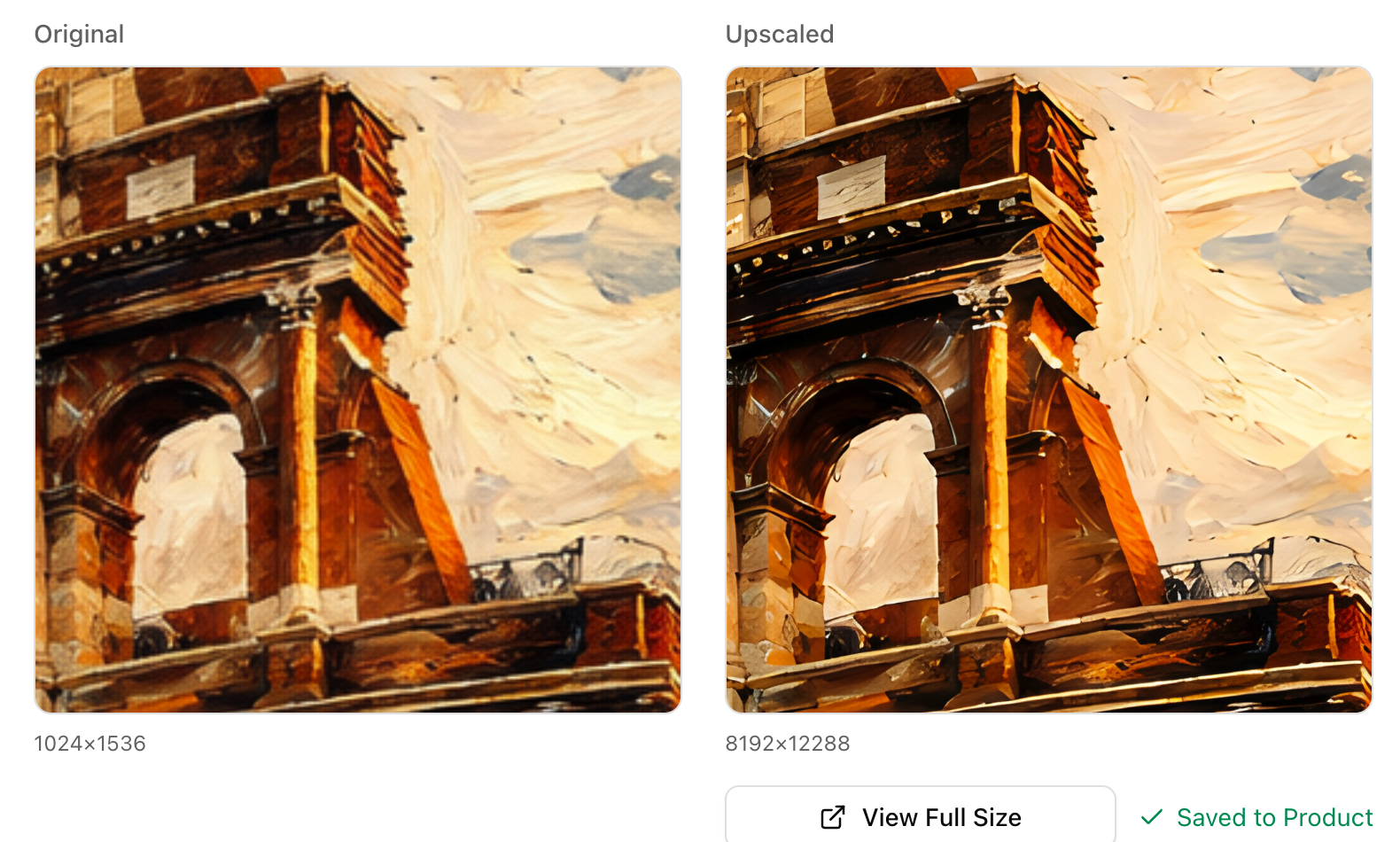
Improve image quality
Enhance soft edges and fine detail with AI. Choose Standard or High Detailed, then inspect the result alongside your original.
Go bigger for print
Increase image resolution up to 8x with Standard or up to 4x with High Detailed. More pixels give you room for larger posters and wall art.
Finish designs for selling
Prepare higher-resolution artwork for digital downloads, print-on-demand products and listing images. Review the result before using it in your products.
Before you upscale
What images can I upscale?
Upload an image or choose a design from your Louplr library. The image upscaler can enhance AI artwork, illustrations, poster designs and other images that need more resolution.
How much can I enlarge an image?
Standard supports 2x, 4x, 6x and 8x enlargement. High Detailed supports 2x and 4x. The scale multiplies image width and height, not just the total pixel count.
What image size do I need for print quality?
At 300 pixels per inch, an 8 × 10 inch print needs 2400 × 3000 pixels; a 16 × 20 inch print needs 4800 × 6000 pixels. Divide pixel dimensions by your printer's recommended pixels per inch to estimate print size. Upscaling adds pixels; changing DPI metadata alone does not add detail.
Will upscaling make every design print-ready?
No. AI can improve image quality, but results depend on the original image and model. Check small text, edges and textures, then confirm size, color profile and file requirements with your printer. Upscaling does not grant commercial rights to an image.
Is Design Upscaler free?
Upscaling uses Louplr tokens and requires an account. The token cost is shown before you run it and depends on the model and scale you choose.
Give your next design more resolution.
Upscale an image