
Style Analyzer
Keep the style. Change the subject. Turn a reference image into a reusable AI prompt for your next design collection.
Account required · Token-based analysis
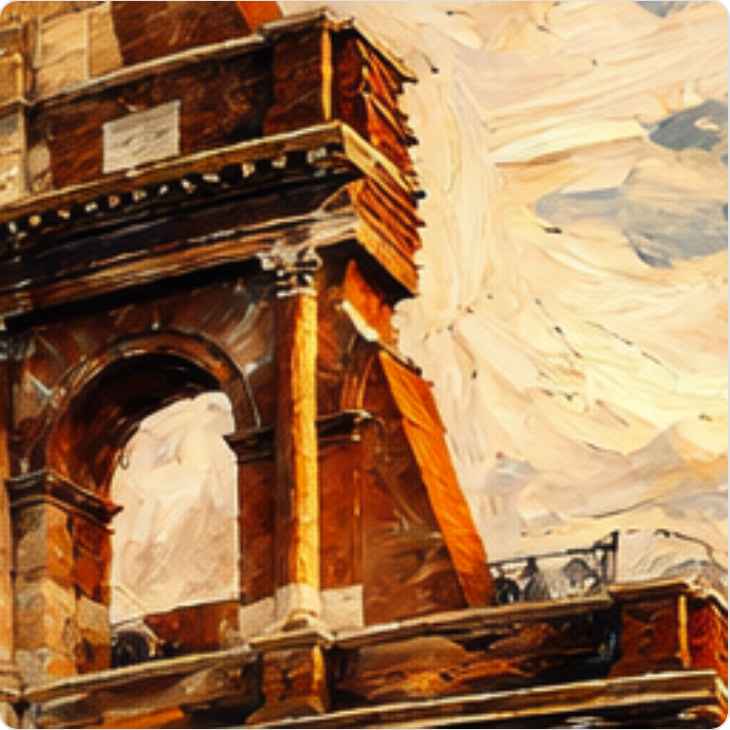
Example style description
Layered painterly brushwork, warm ochre and burnt-orange tones, soft sky blues, textured surfaces and strong light-and-shadow contrast.
Extract the visual style
Turn color, texture, brushwork and composition into a saved style prompt, with a name and searchable tags.
Build a consistent collection
Reuse the same visual direction across different subjects for poster collections, Etsy designs and print-on-demand artwork.
Save once. Create again.
Keep the style in your library and apply it in Louplr's Design Generator. You can also write and save your own style prompt.
Before you analyze
What does the AI Style Analyzer extract?
It describes how an image looks: its color palette, medium, texture, line work, lighting and composition. The result is a saved style prompt, a style name and tags that you can reuse for new artwork.
Is this an image-to-prompt tool?
Yes, specifically for visual style. Rather than describing or copying the original subject, Style Analyzer creates a reusable visual direction for different subjects. It does not recover the exact prompt used to create an image.
Which reference images can I upload?
Upload a JPG, PNG or WebP image up to 10 MB. Clear artwork, illustrations and poster designs with visible texture and color make useful references. AI analysis is an interpretation, so review the saved prompt.
Can I use the style for designs I sell?
You can apply saved styles to new artwork for Etsy listings, posters and print-on-demand collections. Use references you own or have permission to use, and check the rights of your source images and generated designs. Style analysis does not grant commercial rights or guarantee an exact visual match.
Is Style Analyzer free?
AI analysis requires an account and Louplr tokens. Choose Normal, High or Ultra analysis quality; the token cost is shown before you run it. You can also add a style prompt manually without image analysis.