
Turn Artwork into Cinematic Videos
Transform your artwork and mockup images into professional product videos using AI. Choose a source image, shape the motion with presets and transitions, then export MP4 assets ready for Etsy and other marketplaces.
Built for turning product visuals into marketplace-ready motion without leaving your workflow.
Source selection
Start from existing product mockups and artwork already inside Louplr
Creative control
Adjust styles, transitions, aspect ratio, quality, duration, and audio behavior
Output ready
Download the video or move it toward listing workflows once it looks right
Input flow
Pick a product, choose a mockup image, then generate motion from that visual
Delivery
Keep the output for download or attach it to your marketplace workflow
What It Does
A focused workspace for turning still product visuals into video assets
Turn your artwork and mockup images into cinematic videos using AI. Choose from 20 style presets, then generate professional listing videos for Etsy and other marketplaces.
Start from real product visuals
5 AI video models — from fast to premium
Dial in the motion direction
20 cinematic style presets
Control format before render
Use artwork or mockup images as source
Export or hand off
Download MP4 or upload directly to Etsy
How It Works
Pick the right visual, configure the motion, then render the final clip
Video Generator follows the same practical pattern as the rest of Louplr: begin with a real asset, decide how far to push the creative treatment, and only then produce the final output.
Choose the product and the source image
The tool starts from actual product imagery in your workspace. That makes the video more useful immediately because it is tied to a product you already care about selling.
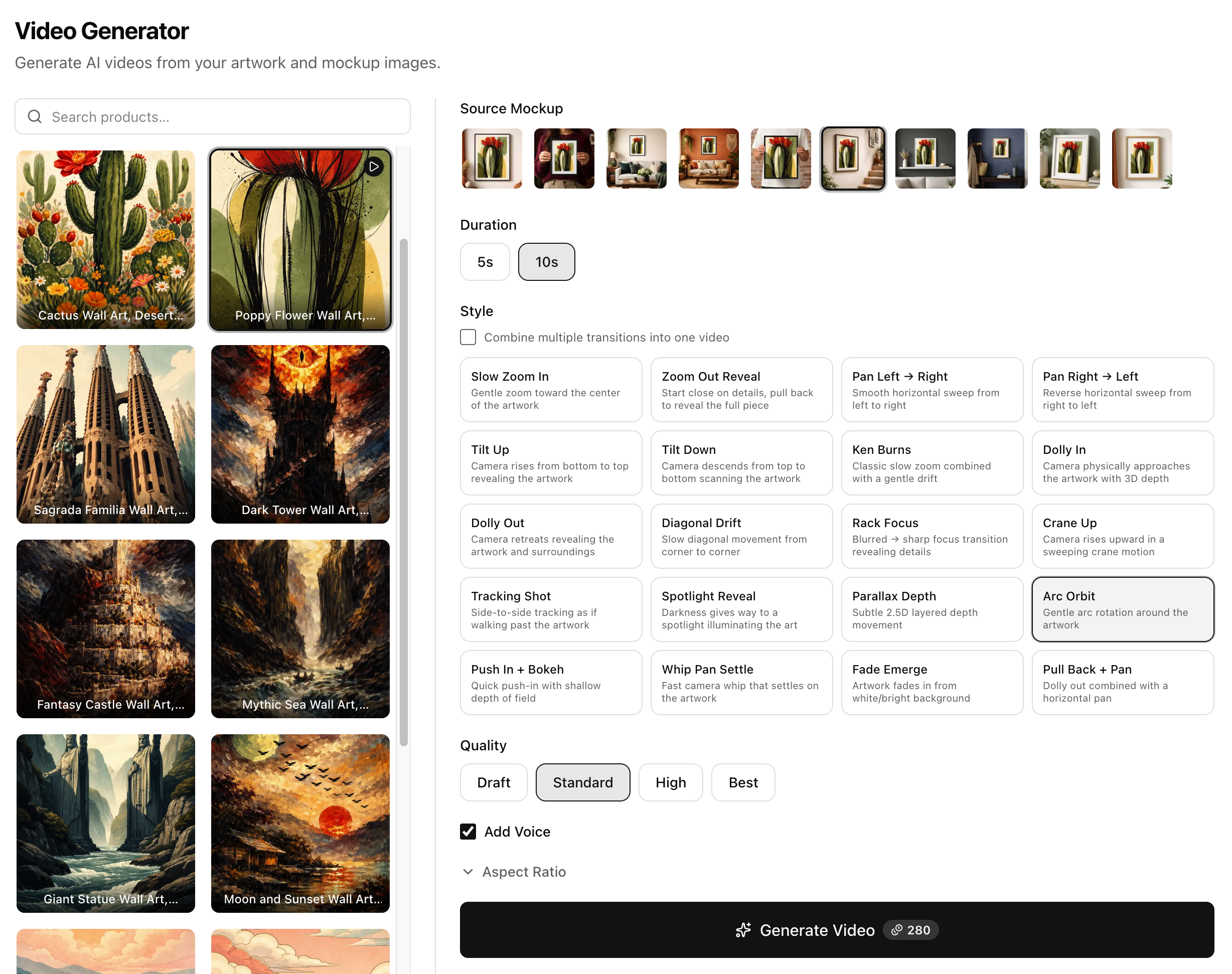
Configure style, transitions, and delivery settings
Instead of a single generate button, you can decide how the motion should feel, how long the clip runs, what aspect ratio it uses, and what quality level fits the job.
Render, review, and use the final asset
Once the video is rendered, it becomes a practical listing asset. Download it, review the result, or push it into the next step of your selling workflow.
Inside The Tool
The output matters, but the setup control is what makes it usable
Video Generator is not just an animation demo. It is a structured way to take a product visual you already trust and convert it into motion with enough control to make the result usable in the real world.
A real output clip from the generation flow
The final result feels closer to a marketplace asset than a toy animation because the source, framing, and movement decisions all come from an intentional setup process.
Example Video Setup
A typical product video configuration
Selected source
A framed poster mockup already attached to the product, chosen as the visual base for the video render.
Render settings
Expected result
A short product clip with motion, framing changes, and a stronger premium feel than a static gallery image alone.
- Works well for Etsy listing media and promotional assets
- Uses visuals you already created elsewhere in Louplr
- Adds movement without rebuilding the product presentation from scratch
Ready to Automate Your Product Creation?
Join Louplr and start transforming keywords into market-ready products — with AI doing the heavy lifting.