

AI Image Styling for Designs: How to Add Reusable Art Styles and Sell Digital Art
About the author

Louplr Team
Louplr Team shares practical guidance from building AI workflows for prompts, artwork, mockups, and listings used in real print-on-demand production.
Most people who start creating digital art with AI hit the same wall within their first week. Generating one striking poster or illustration is easy. Generating twelve pieces that share the exact same brushwork, paper grain, ink registration, and color temperature so they can hang together on a living room wall is where standard prompting falls apart.
When buyers shop for digital downloads, wall art prints, or print-on-demand products on Etsy and Shopify, they rarely buy isolated aesthetics. They buy a mood that fits their room, and they frequently buy two, three, or four matching prints at once when a collection feels cohesive. Adding reliable styling to your designs is what separates a store full of random AI experiments from a recognizable digital art brand.
This guide breaks down how modern AI image styling actually works under the hood, how to apply curated 5-star styles with a design style selector, how to reverse-engineer the visual DNA of any reference image using Style Analyzer, and how to turn styled designs into commercial digital art and print-on-demand listings.
AI Image Styling vs. Simple Filters: Separating Subject From Visual DNA
Traditional image styling meant slapping a color lookup table (LUT), a halftone overlay, or a canvas texture onto a finished graphic. In early AI workflows, creators tried to solve styling by pasting three or four adjectives like 'vintage watercolor, boho colors, minimalist' at the end of every prompt. Neither approach holds up when you are building products to sell.
Short style adjectives leave too much room for the image model to guess. One generation comes back with heavy black ink outlines on stark white background, while the next comes back with soft pastel washes on warm parchment. True AI image styling separates what is depicted (the subject) from how it is constructed (the visual DNA) and locks the construction rules before the image is rendered.
Inside Louplr, every style profile is built as a structured visual specification rather than a vague mood label. When Style Analyzer inspects a reference artwork, it prioritizes eight concrete visual dimensions so any new subject can be generated in the exact same aesthetic:
- Medium and production technique (25% weight): How pigment, ink, gouache, screenprint layers, linocut carvings, dry brush strokes, halftones, or stippling interact with the underlying surface.
- Color system and palette behavior (20% weight): Dominant, secondary, accent, and background tones anchored by approximate HEX values, saturation ceilings, warmth, and whether the palette is strictly limited.
- Line and shape language (15% weight): Contour thickness, line taper, carved versus hand-drawn edges, and how complex forms are simplified into geometric or organic silhouettes.
- Surface texture and material grain (15% weight): Specific physical qualities such as cold-press cotton tooth, raw linen weave, risograph ink bleed, or subtle salt-speckled distress.
- Composition and negative space (10% weight): Framing balance, figure-to-ground ratio, focal hierarchy, and how much breathing room surrounds the subject.
- Lighting and value contrast (5% weight): Flat graphic tonal blocks versus directional chiaroscuro or diffused ambient light.
- Edge character and detail distribution (5% weight): Crisp cut-paper boundaries versus feathered wet-on-wet transitions, plus where fine detail concentrates.
- Era influence and aesthetic mood (5% weight): Period printmaking or design movement influences captured without copying living artists or original subject matter.
When you combine a clean subject prompt with this kind of structured style profile in the Design Generator, the model renders a full-bleed, edge-to-edge raster artwork from scratch. You do not get artificial borders, clipart frames, or pasted filters. Instead, the subject adapts naturally to the brushwork, palette, and texture of the style.
Explore Curated 5-Star Design Styles You Can Apply to Any Prompt
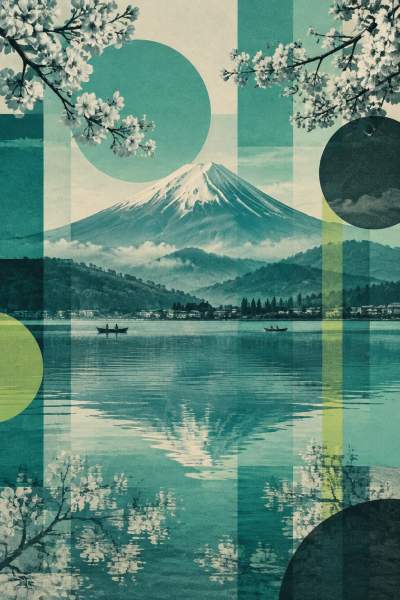
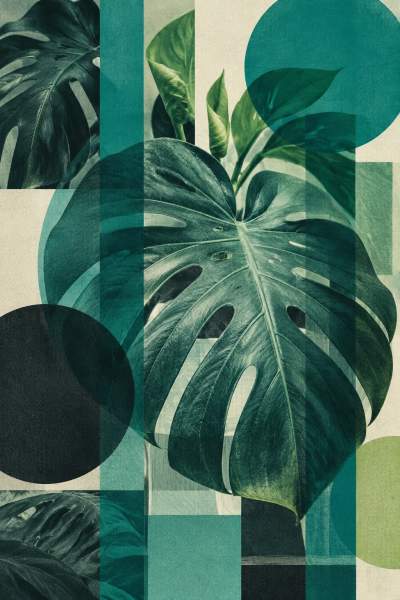
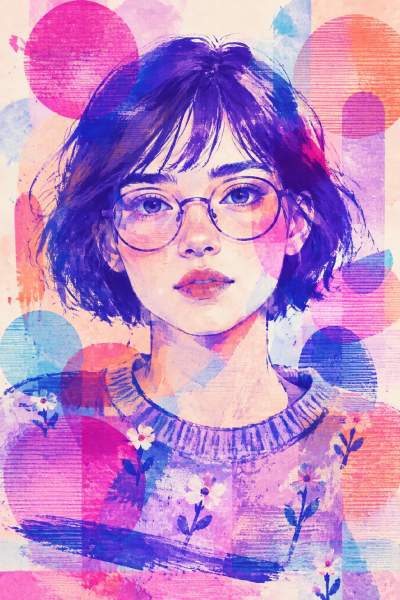
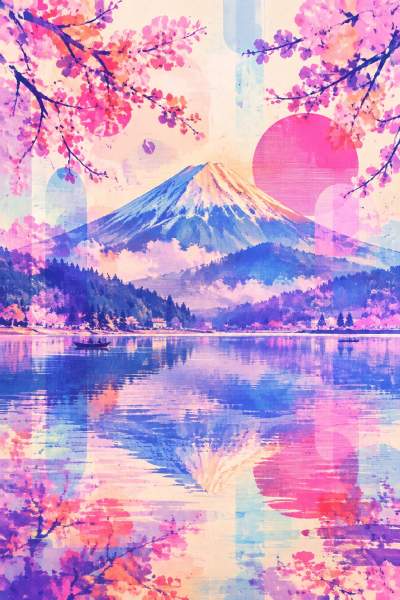
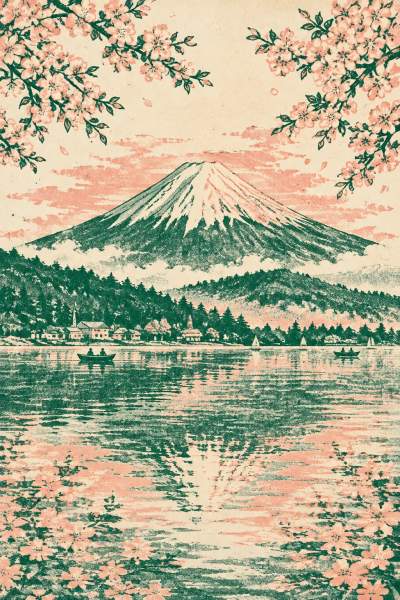
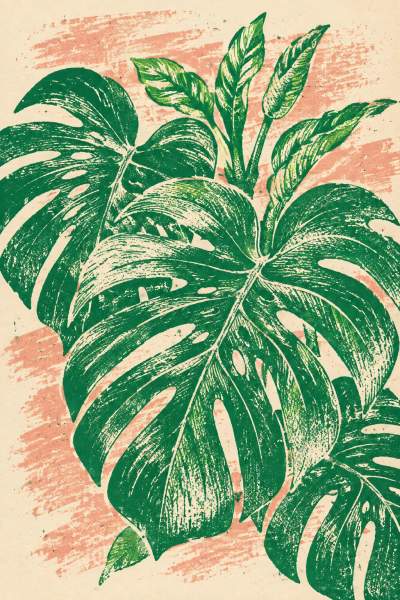
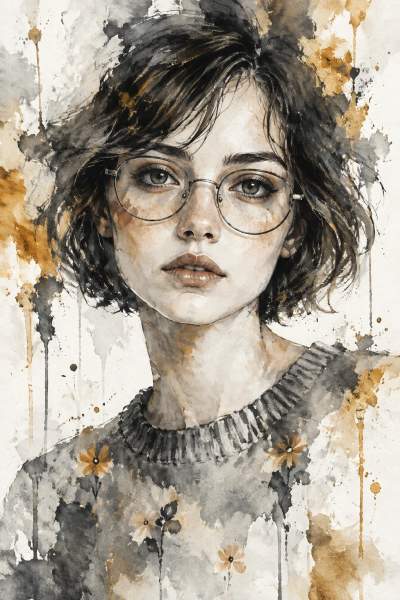
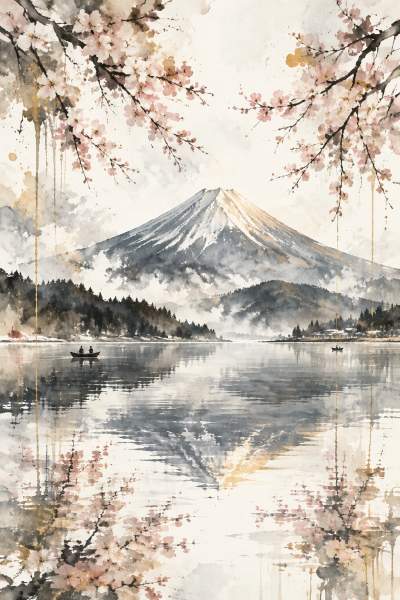
Before you spend time building custom style profiles from scratch, you can test proven visual directions from the AI Design Styles library. Every automated style in Louplr is assigned a shorthand reference code (--sref) and tested across three distinct vertical (2:3) preview subjects so you can see immediately how the color palette, line work, and surface texture hold up across different compositions.
Curated styles that earn a 5-star curator rating (rating 5) carry the Featured badge. Below is a live selection of 5-star featured style cards from the catalog. Anyone can browse these previews, and registering for a free Louplr account lets you open any style directly inside the Design Generator to apply it to your own subjects.
Featured 5-Star AI Design Styles (--sref Library)
Each 5-star style card shows three independent sample artworks generated with the same reusable style profile. Browsing is open to everyone; register for a free Louplr account (1,000 monthly tokens included) to click 'Use Style' and apply any of these styles to your own designs.
- FEATURED
Teal Bauhaus Photomontage Grid
--sref=8235fdf475b0 - FEATURED
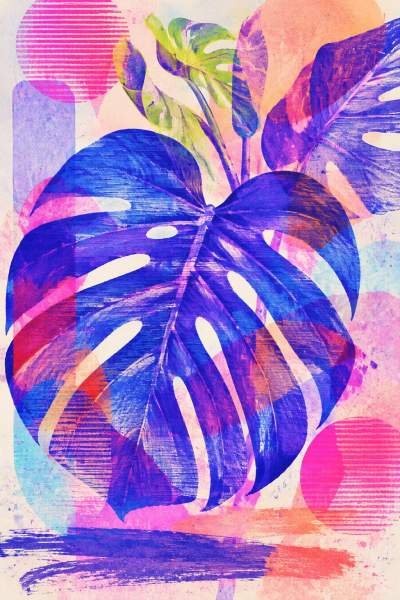
Neon Translucent Screenprint Collage
--sref=288e1ed2f125 - FEATURED
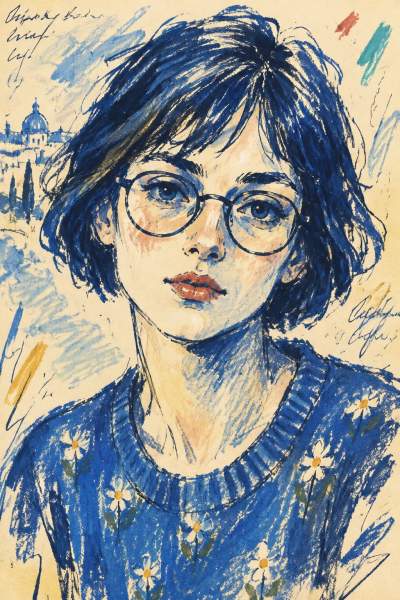
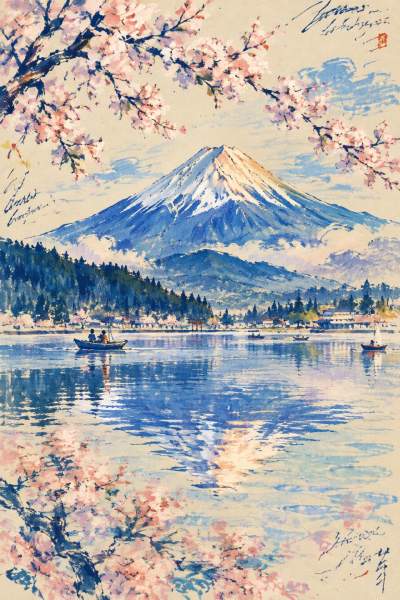
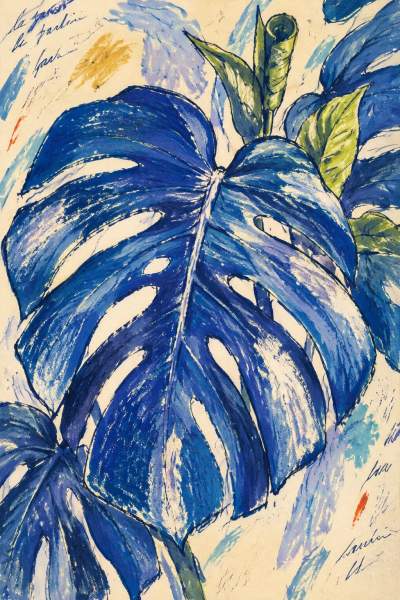
Cobalt Ink Travel-Sketch Expressionism
--sref=0198aecc18db - FEATURED
Two-Ink Botanical Risograph Vignettes
--sref=268640d60c3d - FEATURED
Gilded Monochrome Fluid Abstraction
--sref=3bb8be20ccc7 - FEATURED
Chromatic Motion-Impression Photography
--sref=1ac0b7ee30e9





How the Design Style Selector Works in Production
Having a great style profile only saves time if you can apply it without copying and pasting 200-word prompt blocks into every generation. In Louplr, the Style Selector is built directly into both the Design Generator and automated Loops, giving you a visual control panel next to your prompt workspace.
1. Four Style Tabs: Picked, My Styles, Saved, and Popular
The Style Selector organizes your visual directions into four tabs so you never lose track of a winning look. If you click 'Use Style' on any card in the public catalog or Explore feed, the selector opens with that exact style preloaded in the Picked Style tab. Your custom extracted and manual profiles live under My Styles, bookmarked community favorites sit in Saved Styles, and hundreds of 4-star and 5-star curated styles are available on demand in Popular Styles.
2. Multi-Style Batch Testing (Select Up to 12 Styles at Once)
When you are launching a new digital art niche, such as coastal botanical prints, retro kitchen posters, or Japanese ink landscapes, guessing which style will convert best is risky. Inside the Design Generator, the Style Selector runs in direct multi-select mode, allowing you to select up to 12 styles simultaneously.
If you enter a single subject prompt (or select a saved Design Set of prompts from the Prompt Generator) and highlight 6 different styles in the Style Selector, Louplr automatically runs a prompt-by-style matrix. In one batch, you can compare your subject rendered as a textured gouache illustration, a mid-century screenprint, a muted Mediterranean fresco, and a bold relief block print. You immediately see which visual direction elevates the subject before committing tokens to a 30-piece collection.
3. Locking a Collection Style or Using Random Style in Loops
Once a style proves itself, you can switch to Louplr Loops to automate the rest of the production pipeline. In Loops, the Style Selector lets you lock one specific style across an entire Design Set so every generated artwork, upscaled print file, product mockup, and listing draft shares a unified visual identity. If you are brainstorming fresh shop directions instead, toggling Random Style instructs the pipeline to sample high-rated styles automatically across your batch.
Reverse-Engineering Reference Images With Style Analyzer
What if you already have a signature illustration, a public-domain vintage print, or a moodboard of your own work, and you want to generate new subjects in that exact style? That is the job of the Style Analyzer, an image-to-style-prompt tool designed to extract how an image is made while ignoring what the image depicts.
- Upload a reference image (JPG, PNG, or WebP up to 10 MB): You can upload a single artwork or even a screenshot containing multiple artwork tiles. If multiple tiles are present in one image, Style Analyzer mentally separates them, ignores UI borders or margins, and extracts only the recurring stylistic invariants.
- Select your analysis quality tier (Normal, High, or Ultra): Higher tiers use deeper vision reasoning to capture subtle pigment granulation, complex color HEX relationships, and nuanced edge behavior. The exact token cost is displayed before you run the analysis.
- Review the extracted Visual DNA and automatic previews: Style Analyzer generates a descriptive style name, up to five searchable tags, style invariants, negative prompt exclusions, and a reusable generation template anchored with a {{SUBJECT}} placeholder. It then automatically generates and saves three vertical preview artworks so you can verify the style in your library right away.
Manual Style Profiles and Restyling Existing Artwork Concepts
You are not limited to reference uploads. Inside the same tool modal, the 'Add Style Manually' tab lets you write and save your own reusable style specification in plain language without spending analysis tokens. And if you want to go in the opposite direction, keeping the subject of an existing image while swapping its aesthetic, you can upload reference images directly inside the Design Generator. Its Art Analyzer extracts a style-neutral subject prompt and pairs it with whichever styles you pick in the Style Selector.
How Styled Designs Drive Higher Digital Art and Print-on-Demand Sales
Strong AI image styling is not just an artistic preference; it is a conversion lever for digital art sellers and print-on-demand shops. Marketplaces like Etsy reward listings that earn high click-through rates, multi-item cart additions, and saves.
- Higher average order value through gallery wall sets: Buyers decorating a bedroom, nursery, or home office often need a set of 2 or 3 coordinated prints. When five different botanical or architectural subjects share the exact same --sref style profile, bundling them as a triptych digital download or multi-poster set is effortless.
- Faster niche validation with lower production waste: Instead of writing 50 completely different prompts from scratch, you can generate one 20-prompt Design Set with the Prompt Generator and pair it with two distinct styles in the Style Selector to create two cohesive micro-collections for different buyer tastes.
- Print-ready resolution for digital downloads and physical posters: Full-bleed styled designs need crisp surface texture when printed large. Passing your styled artwork through the Design Upscaler (up to 8x in Standard mode or 4x in High Detailed mode) ensures your files comfortably clear 300 PPI requirements, such as 4800 x 6000 pixels for a 16 x 20 inch poster.
- Cohesive shop presentation and SEO alignment: When you place a styled collection onto matching frames with the Mockup Placer or stage room scenes with the Mockup Generator, your shop grid looks like a curated studio. Pairing that visual language with the Content Generator helps align your titles, descriptions, and 13 Etsy tags with the exact style keywords buyers search for, such as 'mid-century block print poster' or 'textured gouache botanical printable.'
Always keep commercial rights and marketplace compliance in mind when working with styles. Only analyze reference images that you created yourself or have permission to use, avoid prompts that name living artists or protected franchises, and remember that Style Analyzer extracts a generalizable visual direction rather than granting copyright over a reference image.
Register Free to Use 5-Star Styles and Style Analyzer
While anyone can explore the public AI Design Styles catalog to study trending visual directions and preview cards, using those styles in production requires a registered Louplr account. Once you register, you unlock the full Style Selector inside the Design Generator, multi-style batch generation, custom reference extraction with Style Analyzer, and your personal saved style library.
Registration is free and does not require a credit card. Every new account starts on the Starter plan with 1,000 free tokens refreshed monthly, which is more than enough to test 5-star featured styles on your own prompts, analyze reference images, and prepare your first sellable digital art collection.
Register free to unlock 5-star AI design styles, the Style Selector, and Style Analyzer
Create Your Free Account1,000 free tokens refreshed monthly · No credit card required
AI Image Styling and Design Styles FAQ
- How do I add a consistent art style to my AI designs?
- Instead of relying on short prompt adjectives, use a structured style profile that locks medium, color HEX palette, line weight, surface texture, and composition rules separately from your subject prompt. In Louplr, you can pick a curated 5-star style from the Style Selector or extract a reusable style profile from a reference image with Style Analyzer, then apply it across any number of subjects in the Design Generator.
- Do I need to register to use the 5-star style cards shown in this guide?
- Browsing the public style catalog and viewing the three sample previews on each style card is open to everyone. To click 'Use Style', apply styles in the Design Generator, bookmark styles to your library, or run Style Analyzer on your own images, you need to register for a free Louplr account. The free Starter plan includes 1,000 tokens refreshed every month.
- What is the difference between AI style transfer and Louplr's Style Analyzer?
- Traditional neural style transfer blends the pixels of a style image onto an existing photo, which often creates blurry edges or distorted textures on print files. Louplr's Style Analyzer is an image-to-style-prompt tool: it reverse-engineers the visual DNA of a reference image (weighting production technique 25%, color system 20%, line and shape language 15%, material texture 15%, composition 10%, and lighting, edges, and era 15%) into a reusable prompt template so completely new subjects are generated cleanly from scratch.
- Can I test multiple design styles on the same prompt at once?
- Yes. Inside Louplr's Design Generator, the Style Selector supports direct multi-style selection for up to 12 styles in a single run. You can pair one custom prompt or a saved Design Set with multiple styles to compare how different visual directions look on the same subject before scaling a full collection.
- What does a 5-star Featured badge on a Louplr style card mean?
- Every automated style in Louplr generates three vertical (2:3) preview artworks across varied test subjects and receives a curator quality rating from 1 to 5. Only styles rated 5 out of 5 earn the orange Featured badge, signaling that their color palette, texture, and line language hold together reliably across different subjects.
- Can I sell digital art and print-on-demand products made with Louplr styles?
- Yes, you can apply saved and featured styles to original subjects for Etsy digital downloads, wall art posters, and print-on-demand products, provided you follow marketplace disclosure rules and use original prompts and permitted reference images. For crisp physical prints and large digital download ratios, upscale your styled designs with Louplr's Design Upscaler to reach 300 PPI.


