
AI Mockups for Apparel: Show Fit, Color, and Placement Without a Photoshoot
About the author

Louplr Team
Louplr Team shares practical guidance from building AI workflows for prompts, artwork, mockups, and listings used in real print-on-demand production.
AI mockups for apparel can help shoppers picture a shirt, hoodie, or sweatshirt in a real setting without arranging a new photo shoot for every design. They are most useful for lifestyle context and early visual exploration. They are not reliable proof of fit, fabric, color, or print placement unless the image is checked against the actual garment and product reference.
A generated model may look natural while the garment shape, collar, sleeve length, print size, or color has quietly changed. For that reason, build the listing around accurate product information first, then use AI scenes to add context where they help.
What an Apparel Mockup Needs to Communicate
A strong apparel image answers different questions from a wall art mockup. The shopper wants to see the garment type, the design's position, the color option, and a reasonable sense of how the item is worn. These details should not be left to one dramatic lifestyle image.
Fit and silhouette
A model can show how a garment looks when worn, but an AI-generated body and garment are not a substitute for a size chart or provider measurements. Use the product provider's fit details and size information. If you need shoppers to compare a relaxed fit with a fitted cut, use accurate photos or mockups for the actual garment style.
Color and available variants
Screen colors vary, and image generation can shift a shirt from charcoal to black or warm white to bright white. Show only colors that are available for the selected product. If the listing has several garment colors, use provider images or a carefully checked variant view instead of asking one generated scene to stand in for every option.
Print placement and artwork
The design should sit in the correct print area and keep its intended proportions. Check whether it is centered, too close to a seam, stretched across a fold, or changed by perspective. Fine text and thin lines deserve a closer look because they can become distorted on a curved or wrinkled surface.
A Trustworthy Image Sequence for an Apparel Listing
Use a mix of clean product views and lifestyle context. A simple sequence might include:
- A clear front view of the exact garment style and print.
- A worn or lifestyle view that helps shoppers imagine how the garment is used.
- A closer view of the design placement and its size on the garment.
- A back or side view only when it shows a real product feature or alternate print.
- Accurate color or size options, using the provider's product details and available variants.
- A size chart or concise measurement graphic based on the actual garment specifications.
The lifestyle view can make the product feel more relatable, but it should not carry every factual detail. A simple provider mockup can be more useful than another AI scene when the buyer needs to compare the actual cut, garment color, or print area.
How to Prompt an Apparel Scene
Keep the prompt focused on pose, setting, camera, and what should remain visible. Use the product reference image when the workflow supports it, and do not rely on prompt wording alone to lock a garment's exact color or shape.
Example: Show a person wearing the supplied crew-neck T-shirt in a relaxed, front-facing pose in a bright everyday setting. Keep the full front of the shirt visible and the artwork centered on the chest at its original proportions. Use soft natural light and a simple background. Do not add logos, extra graphics, pockets, or garment details that are not in the reference.
After generation, compare the result with the provider's product images. If the neckline, sleeve, color, or print position is wrong, do not present it as an exact view of the product. Keep it as a concept image only if it still gives buyers a fair idea of the design and does not imply a different item.
Choose the Right Source for Each Apparel Image
- Use a provider mockup or product sample for garment cut, available colors, and size details.
- Use a placement workflow when you already have an approved product mockup and want to position the artwork on it.
- Use an AI-generated lifestyle scene for secondary context, then verify that the garment and design still match.
- Use a real photo when texture, drape, print quality, or a particular fit needs to be demonstrated.
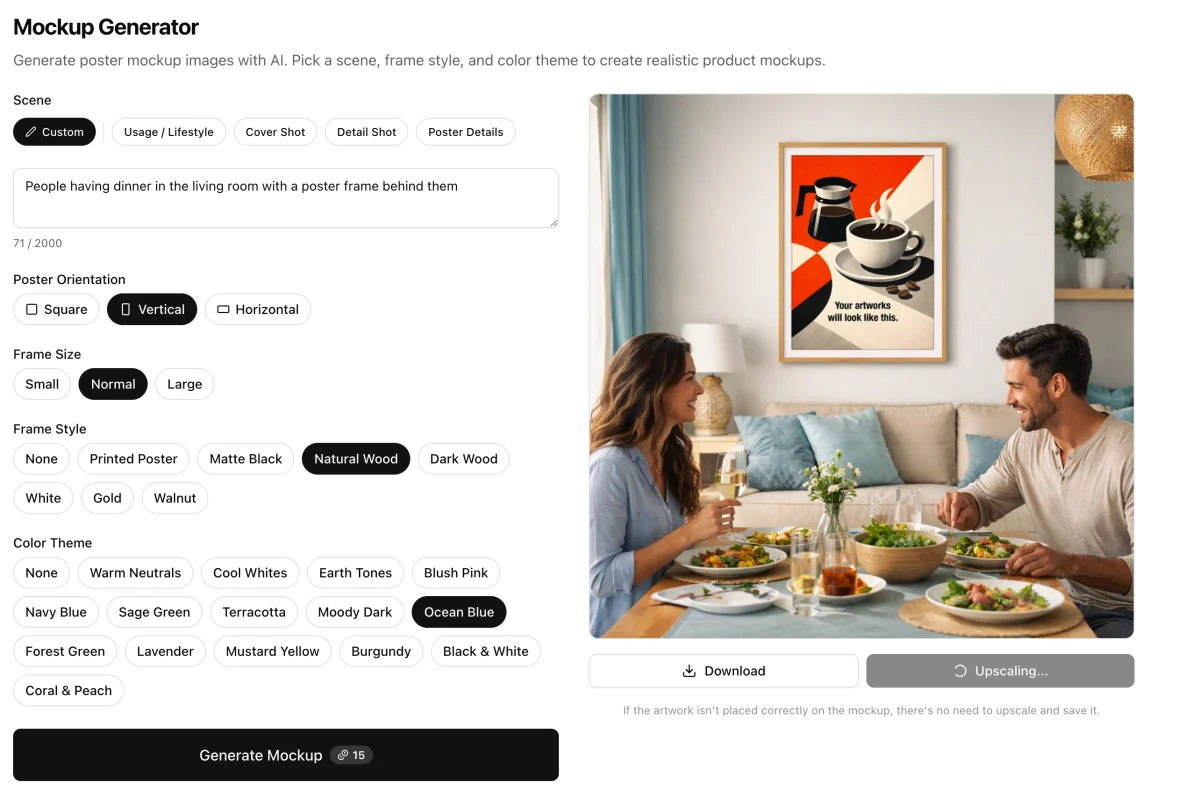
In Louplr's Mockup Studio, a product mockup workflow starts with a saved product and lets you select a variant. When reference images are available, they can be included to guide product fidelity. Check the generated garment and print against those references before using the result.
If you already have an apparel mockup image, Mockup Placer provides a placement-focused route for adding artwork to a product mockup. For ideas on writing a prompt or reusing scene prompts, see the guide to AI mockup generator prompts and saved packs.
Explore Louplr's Mockup Placer
Read the AI mockup prompt and saved-pack guide
Apparel Mockup Checks Before You Publish
- Does the shirt or garment match the product style and selected variant?
- Is the color actually available, and does the listing explain normal screen variation?
- Does the print sit in the correct area and keep its original shape?
- Are fit, fabric, and size claims supported by product details rather than by an AI scene?
- Can shoppers tell which accessories or styling items are not included?
- Does the image sequence include a clean product view as well as lifestyle context?
A photoshoot is not the only way to create a useful apparel gallery, but a mockup should never make a claim the product cannot support. Use AI for the scene, use product references for accuracy, and let the provider's specifications answer questions about size and fit.
AI Mockups for Apparel FAQ
- Can an AI apparel mockup show the exact fit of a shirt?
- Not reliably on its own. Generated models and garments can change proportions or drape. Use the product provider's fit information, measurements, and accurate product images for sizing decisions.
- Can I use an AI model to show a print-on-demand shirt?
- A generated lifestyle image can add context, but check that the garment, color, print area, and artwork match the actual product. Follow the marketplace's current image and disclosure requirements.
- How do I keep the design in the right place on an apparel mockup?
- Start with an accurate product mockup or reference image, select the correct garment variant, and inspect the print placement after generation. Prompts can guide composition but do not guarantee exact positioning.
- Should every apparel color variant have its own mockup?
- Show the colors that are actually offered and make the relationship between the image and the selected variant clear. Use accurate provider images where possible, since generated scenes can shift garment colors.
- Can a mockup replace a size chart?
- No. A model image can provide visual context, but use the provider's measurements or size chart for fit and sizing information.
Place artwork on an apparel mockup and review the result
Explore Mockup PlacerUse accurate product references for garment details and check every generated image.